
Survey software, inspired by surveying experience.
Refine turns multibeam soundings into a surface. Chart compares that surface with the design — differences, volumes, sections and charts.
Two programs,
complementary tasks.
Refine prepares survey data. Chart brings surfaces, designs and reports together.
Illustrated with demonstration data.
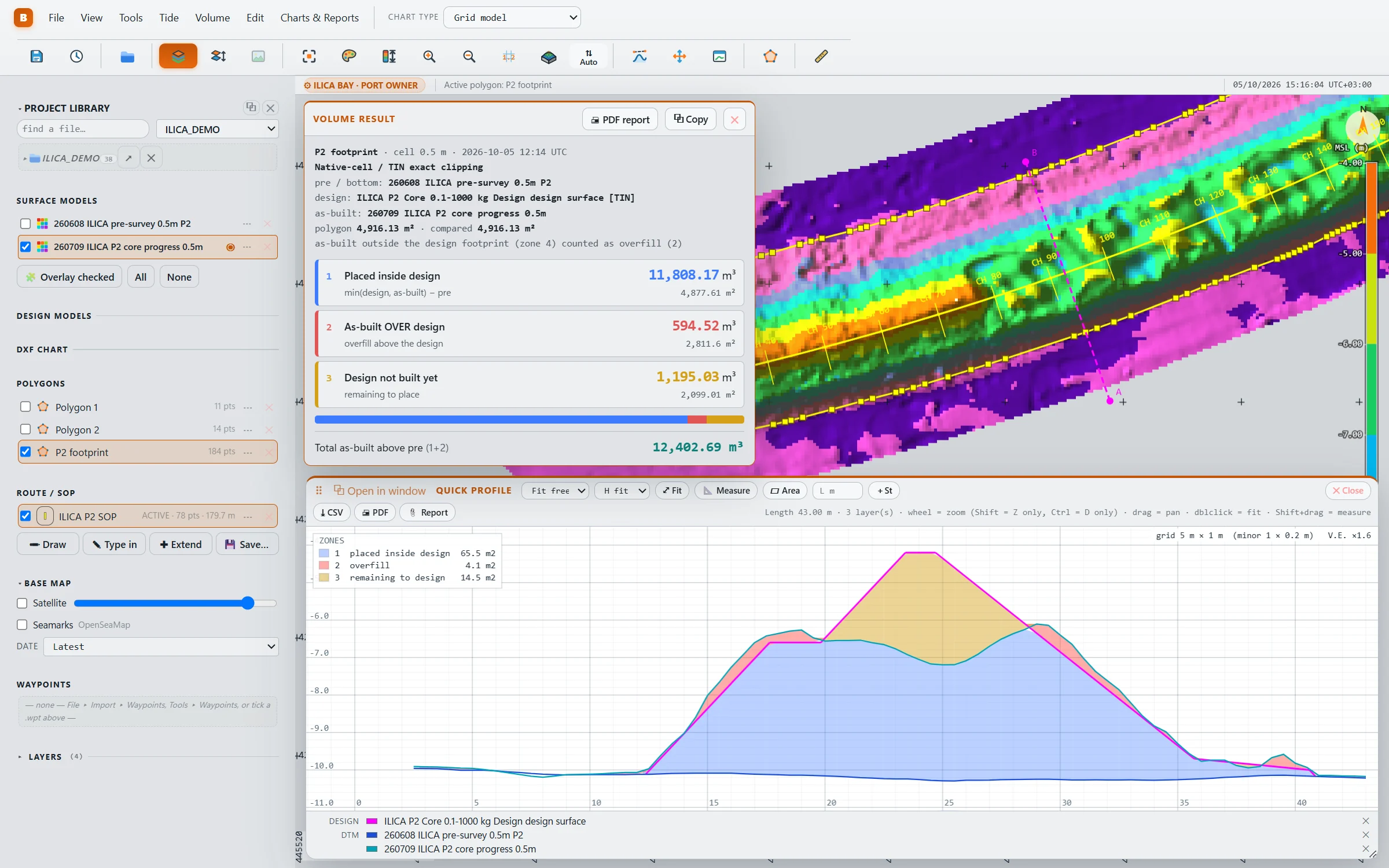
Surface → decisionChart
- Survey and design in one view — plan, 3D and section
- Difference charts and volumes against the design surface itself
- Quick sections with the fill between layers, in m²
- Tolerance maps, section sheets and charts printed to scale
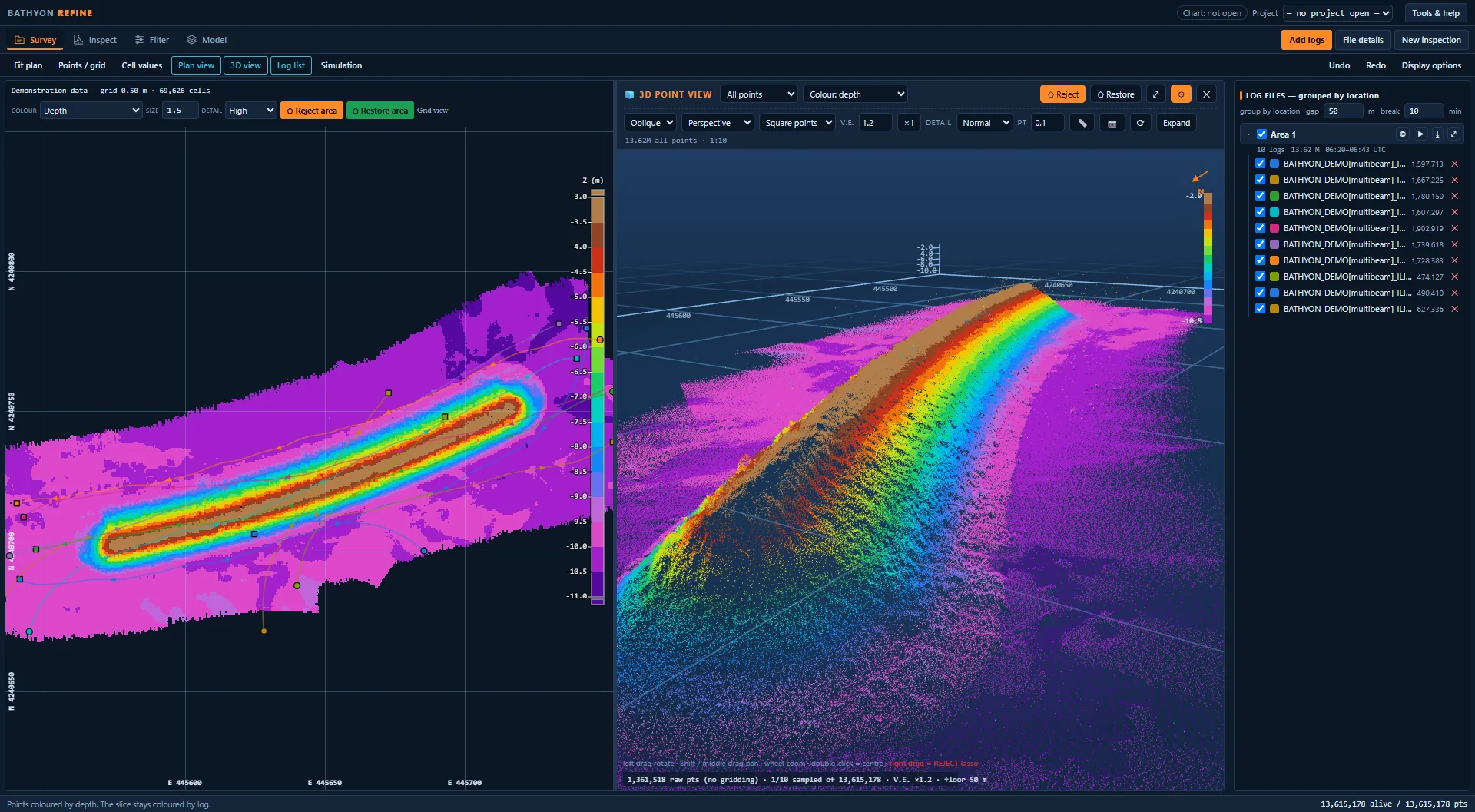
Soundings → surfaceRefine
- Opens supported .pds logs, processed .hs2x and point files
- Plan, slice and 3D point views, linked
- Configurable filter groups and manual point editing with undo
- Grid models with per-cell statistics and survey time where available
How does a surveyed surface compare with the design? BATHYON helps you explore the answer.
For breakwaters, dredging and reclamation — from initial surveys to progress and as-built reports.
Founded by hydrographic surveyor Ahmet Bozkurt, BATHYON focuses on clearer survey processing, analysis and reporting.
The refined soundings, the section, the chart.
Examples of survey data preparation, design comparison and reporting.
Soundings, before and after
Compare the same section before and after filtering and manual editing. Review removed points and undo changes when needed.
 As recorded
 After filter and lasso
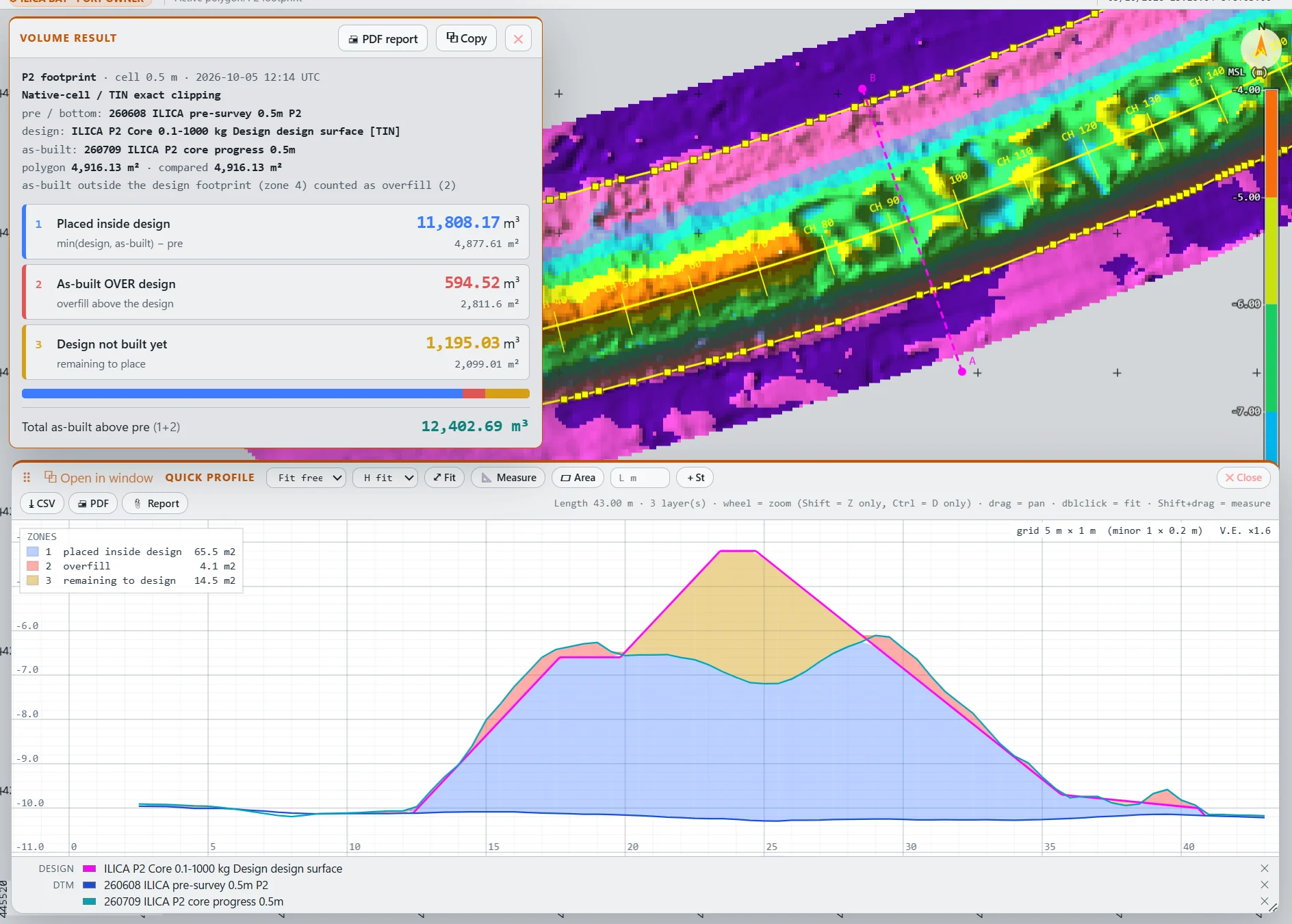
Three layers, one section
View the initial survey, design and progress survey in one section. Colours distinguish placed material, excess material and remaining fill.
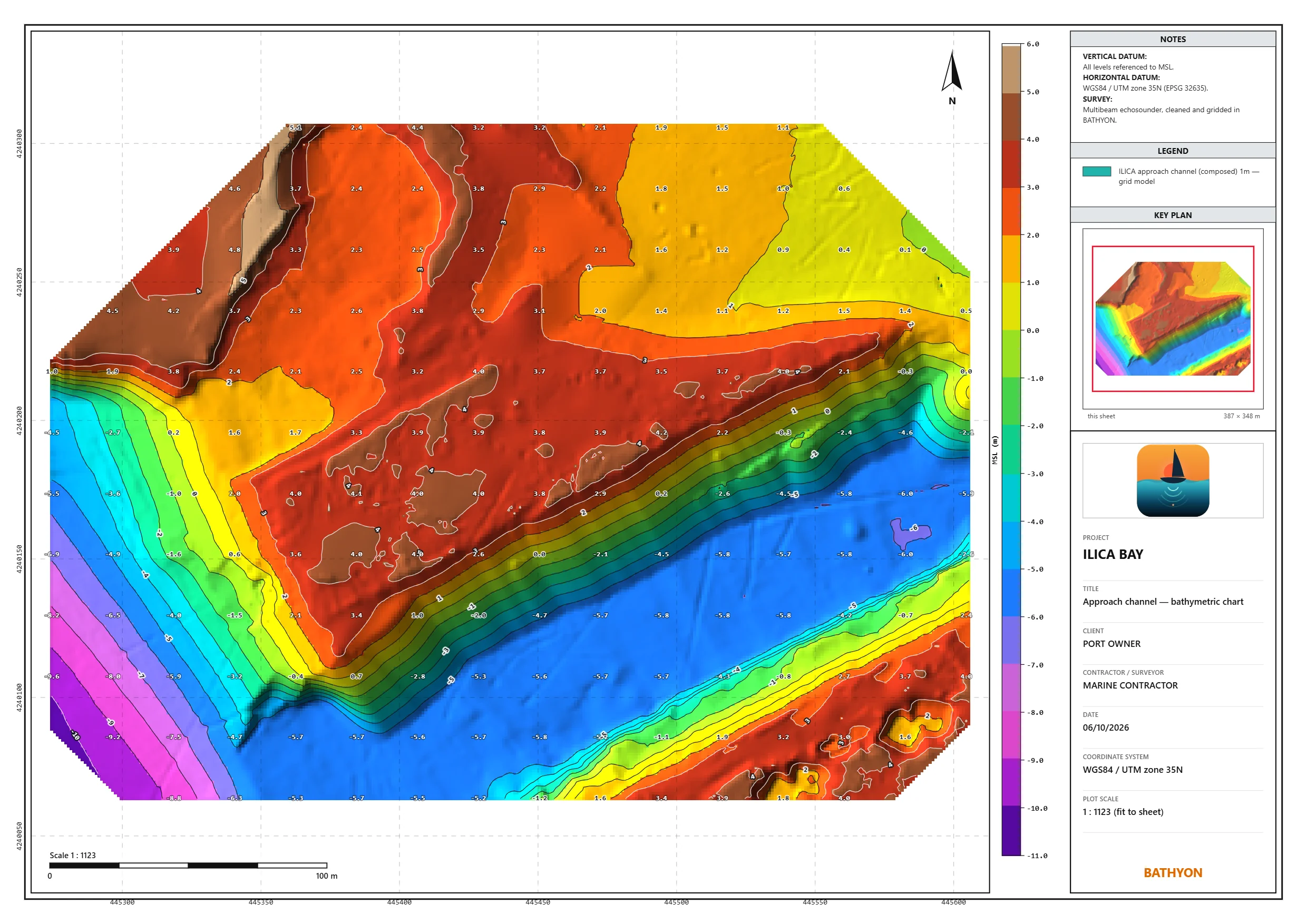
A chart for the report
Prepare scaled chart sheets with contours, spot levels, legends and your title block. Export as PDF or image.
Tell us about
your survey work.
Request trial access, ask a question or share feedback. Tell us about your workflow and file formats; please do not send confidential survey data.