
BATHYON / Refine
Prepare your survey for surface modelling and analysis.
Inspect and remove survey noise while preserving the seabed and constructed features. Refine combines filter groups, manual editing and grid modelling in one workspace.
Refine and Chart can be used together or independently.
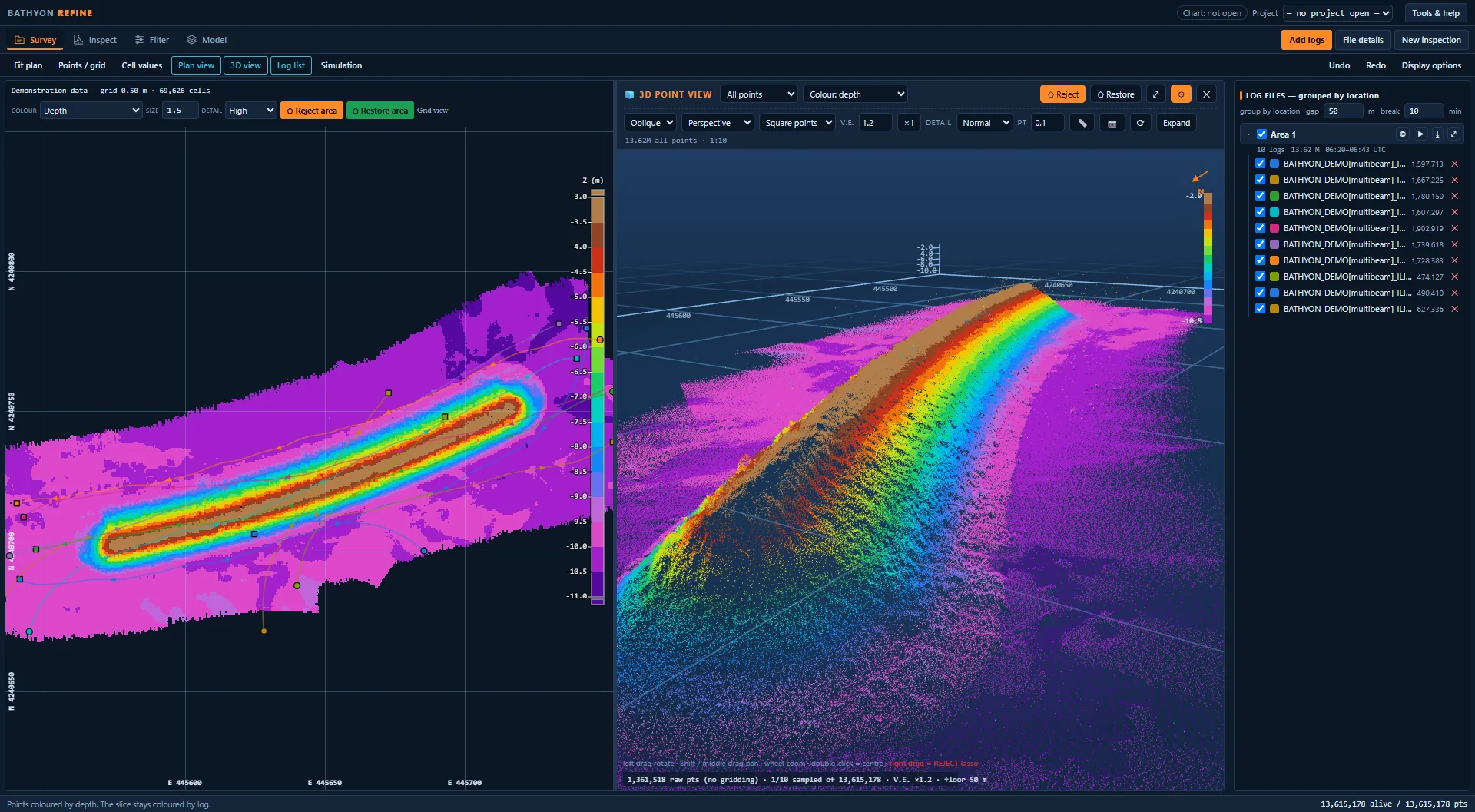
See the survey in 3D. The plan, the point cloud and the log list side by side. Rotate and zoom to inspect the seabed and constructed features.
Demonstration data. Select an image to enlarge it.
Open your survey data.
Open supported .pds logs, processed .hs2x files and XYZ, PTS or CSV point files. View soundings and available sensor records together.
- Group logs by location and time, with colours and vessel tracks
Filters that fit your survey.
Combine filters with your own settings. Apply them to the survey or a selected area, and review the removed points.
Start with the Standard group to remove outliers and isolated noise, then refine the result by hand.
- Filters for outliers, isolated points, depth ranges and sounding density
- Save and reuse your filter groups
- Undo a filter run; review manual and filtered removals separately
Review and edit points.
Move through survey sections and select points in the plan, section or 3D view. Remove noise or restore points with the lasso tool.
Colour sections by log to compare neighbouring survey lines.
- Review manual and filtered removals separately
- Undo or redo edits; show or hide removed points
- Replay survey lines ping by ping
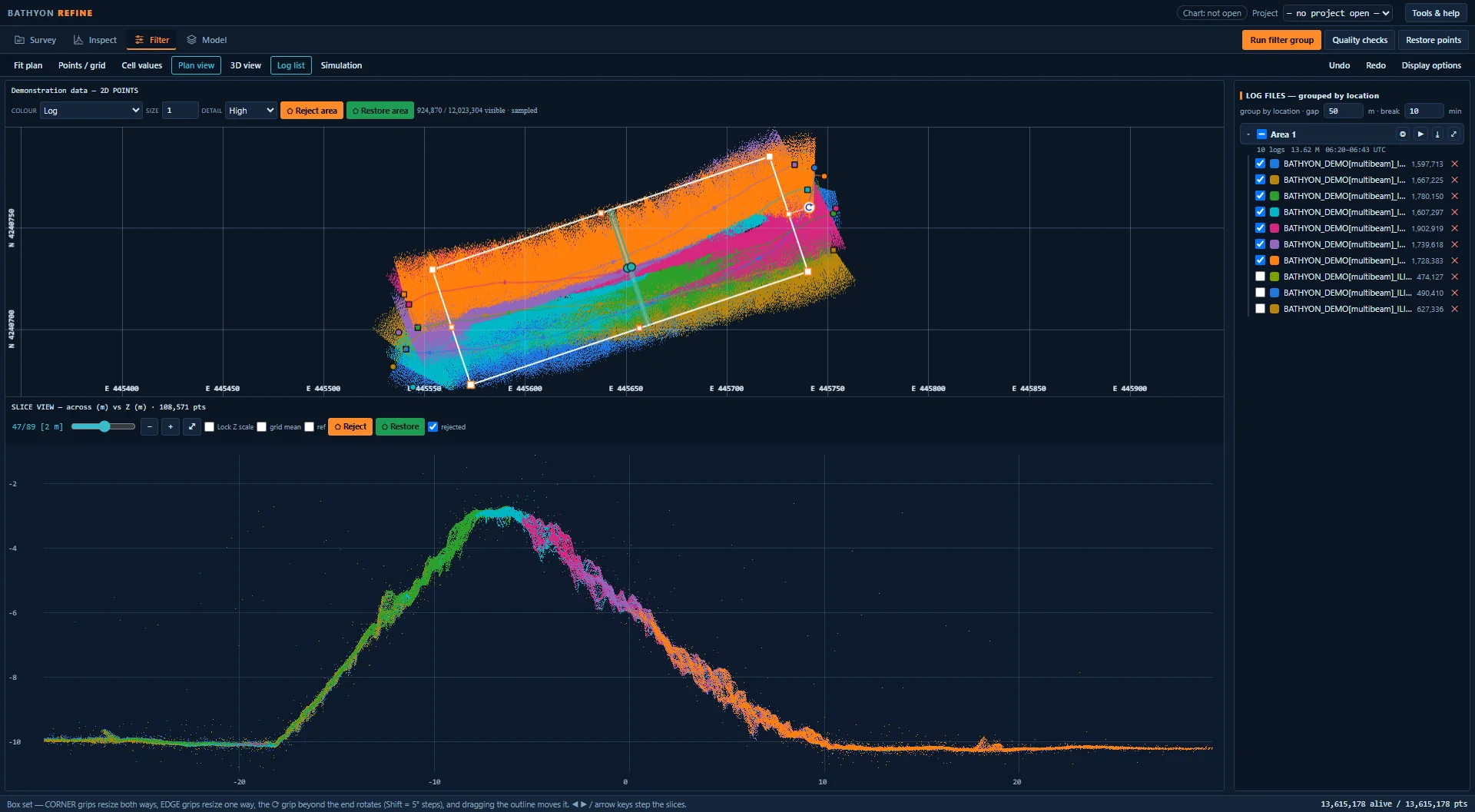
Plan and section together. Select an area on the plan and inspect its points in the section below.
Inspect the quality recorded with your survey.
Explore point density, depth variation and recorded quality information.
- Cell statistics: point count, depth variation and other values available in the data
- Recorded quality: view TVU and THU values where available in your data. Inspect depth variation within each cell using the 2σ indicator.
- Display: colour scales, legends and cell values for each view
- Quality report: review survey coverage, data gaps and available sensor records
- Sensor graphs: motion, position and sonar records on one time axis
Build and update terrain models.
Create a digital terrain model (DTM) from your edited soundings, or update an existing model with a new survey.
- Retain cell statistics and survey time where available
- Export points as XYZ, plus cell values and quality reports
- Background maps — view soundings over satellite imagery and a coordinate grid
- 3D point view — rotate, zoom and edit the point cloud
- Reference surface — colour cells by their difference from another model
- Height tools — adjust, smooth or classify points, with reset options
Inspect, filter
and grid your survey.
Tell us about your data and workflow. After approval, we email your installation and activation instructions.