
BATHYON / Chart
The surface, the design, and the difference.
Compare survey surfaces with the engineering design in plan, 3D and sections. Calculate volumes, assess tolerances and prepare reports for review.
Chart and Refine can be used together or independently.

3D view. Three survey surfaces with route chainages, shown with ×2 vertical exaggeration.
Demonstration data. Select an image to enlarge it.
Keep your survey work organised.
Keep surveys, designs, routes and reports in one project. Load the layers you need and compare them in the same view.
- Overlay several surveys into one view, or stack them as layers
- Custom colour scales, contours, shading and cell values
- Checks for changes before saving project files
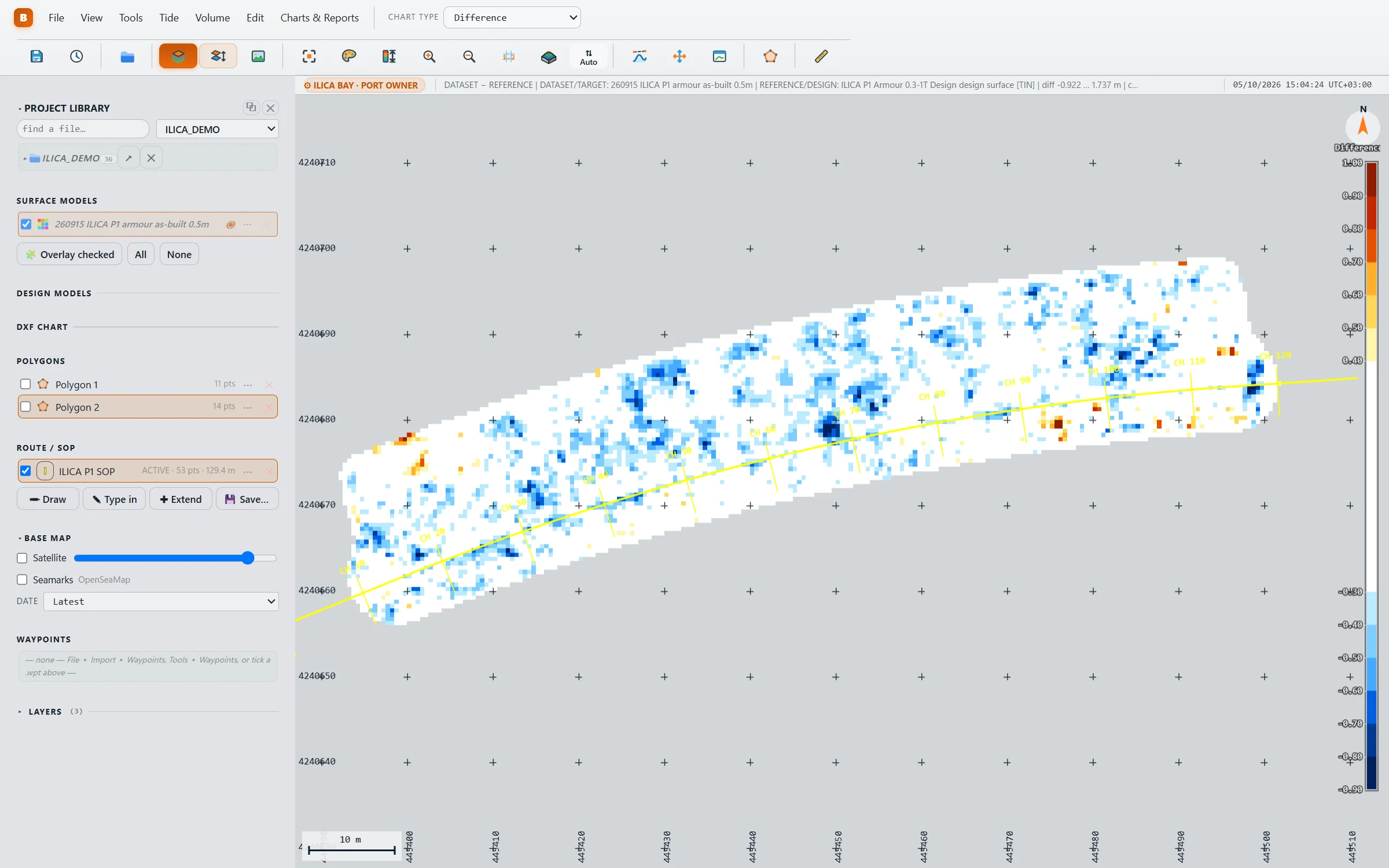
Where is it high, where is it low?
Compare surveys with each other or with the design. Set the vertical difference range and colour scale to suit your work.
- Compare survey levels directly with the design surface
- Save and reuse your difference colour scales
- Read depth, point count and available quality values at the cursor
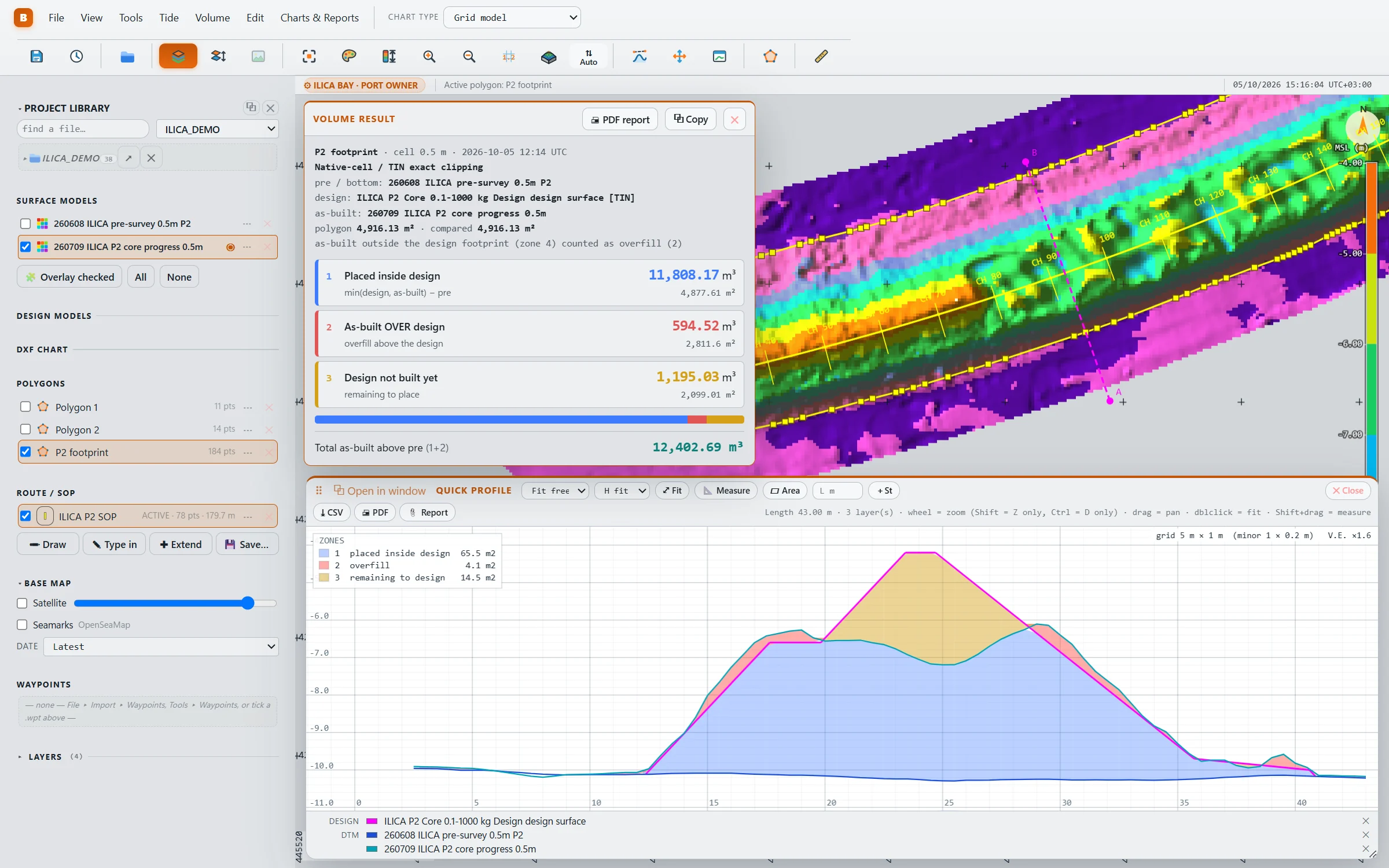
Calculate and review volumes.
Calculate volumes between surveys or against a design. Review placed material, excess material and remaining fill.
- Compare two surveys, or the initial survey, design and as-built together
- Define the calculation area with a drawn or imported boundary
- Quick section anywhere on the chart, with the fill between the layers in m²
- Copy results or export a PDF report with selected sections
Check design tolerances.
Set upper and lower tolerances perpendicular to the design. See which areas fall within, above or below those limits.
Areas outside the assessment are shown separately.
- Colour-coded tolerance maps and areas by band
- Review assessed areas in maps and sections
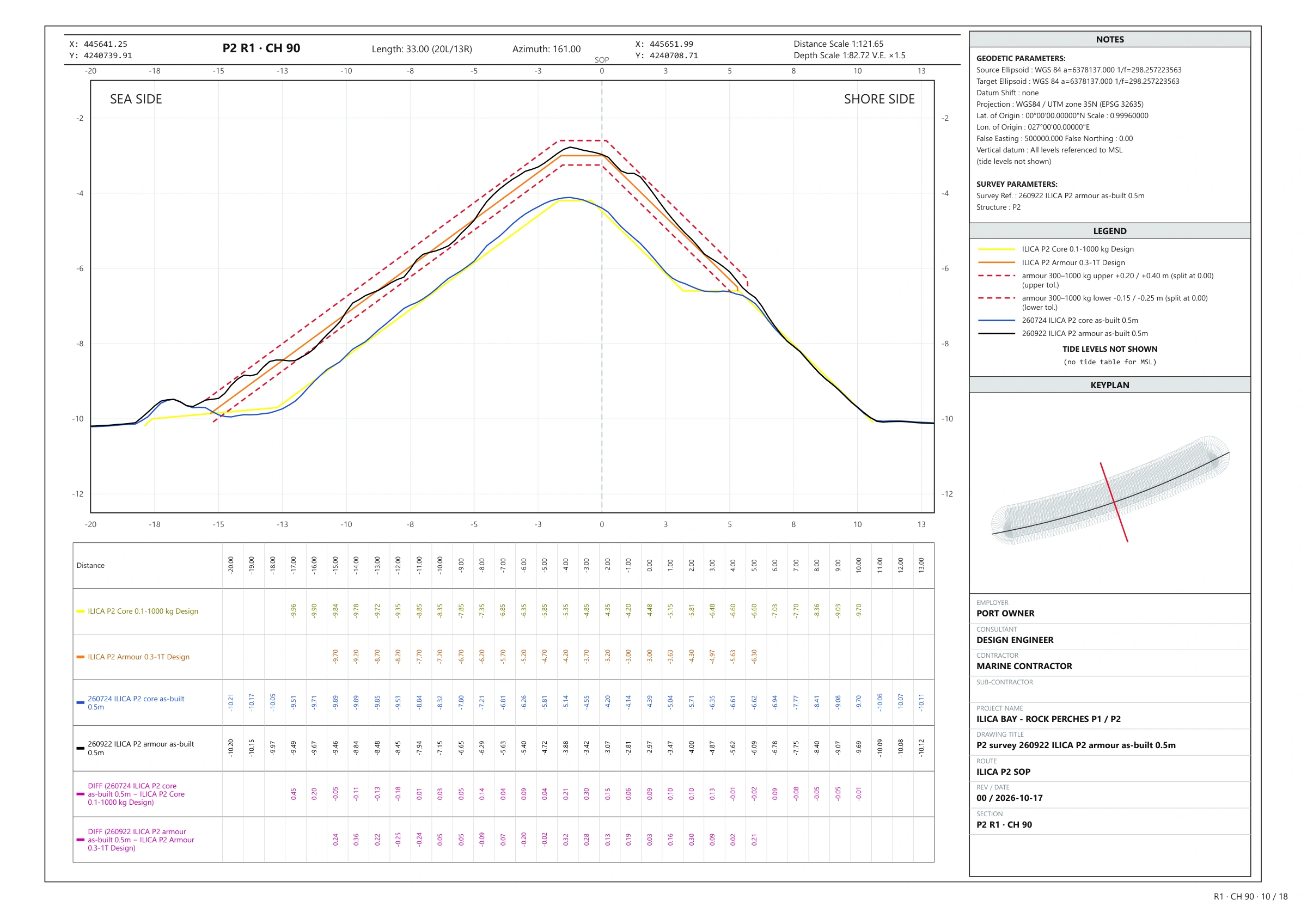
Clear sections, ready to share.
Create section sheets along a route at your chosen spacing. Include surveys, designs, tolerances, level tables and a title block.
Survey reports
Bring volumes, tolerance maps and section sheets together in a survey report.
Quality on the chart
View point counts, depth spread, survey time and recorded quality values where available in the model.
More tools for your survey work.
Tools for surfaces, designs, boundaries and field preparation.
Update your surfaces
Update models with new surveys, across the surface or within a selected boundary. Review and undo supported edits.
Work with design surfaces
Import designs, split or merge structures, and create tolerance surfaces.
A polygon toolkit
Draw, edit, offset and combine boundaries, or import them from drawings and coordinate lists.
Water-level reports
Water-level records become a monthly tide report with its curve and tables, ready to attach.
The scene in 3D
Inspect surfaces, designs and routes in 3D. Adjust vertical scale, view sections and measure between points.
Routes and waypoints
Create routes and waypoint lists, then export them for field use.
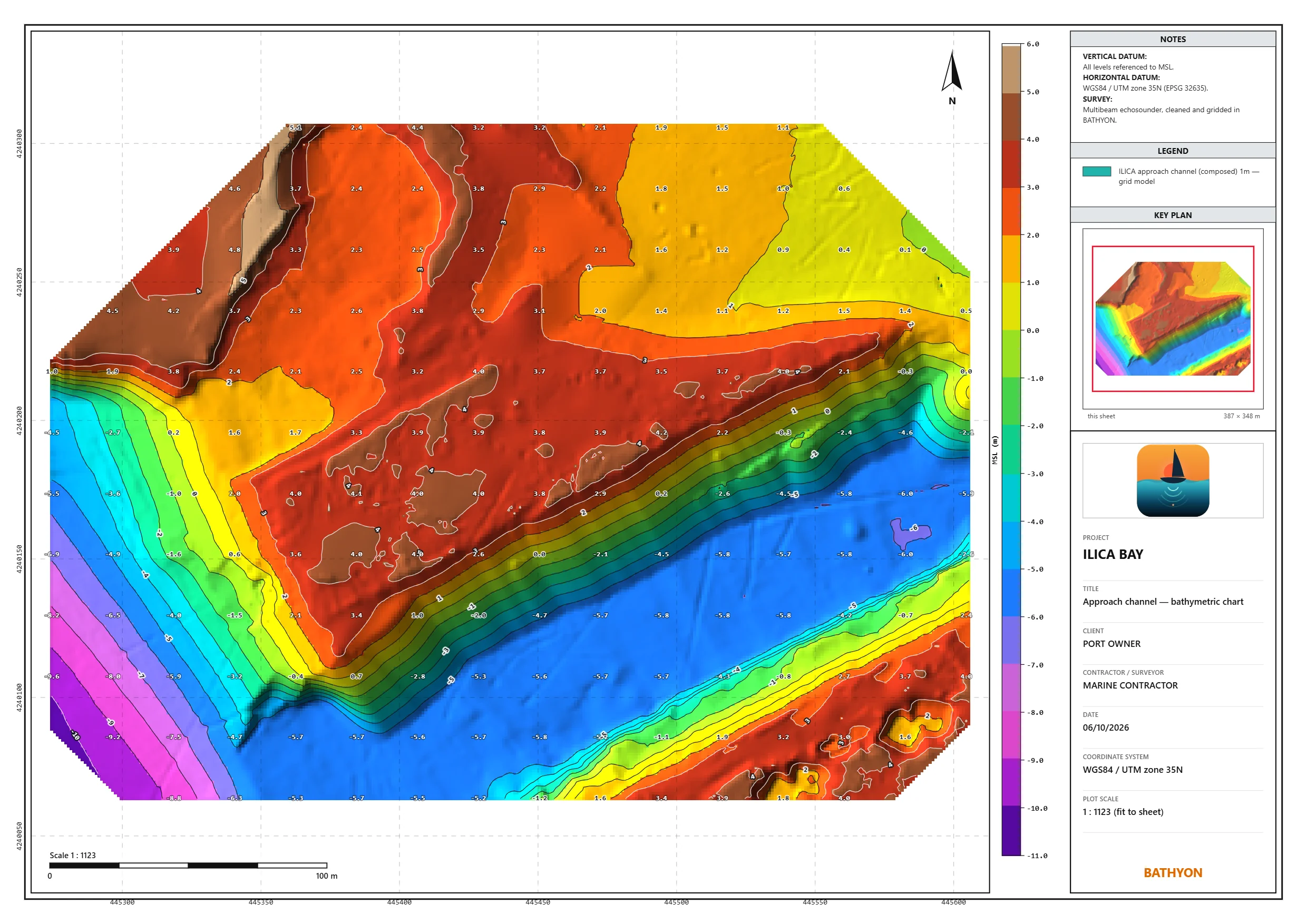
A chart for the report.
Create chart sheets with contours, spot levels, legends, coordinates and your logo. Add a key plan and notes to complete the report.
- A4 to A0, portrait or landscape, with a chosen print scale
- Export to PDF or PNG, or print directly
- Adjust contour spacing and level labels
- Title block and notes filled from the project configuration
Supported file formats.
Import and export the formats below. Available data layers vary by file.
| What | Read | Written |
|---|---|---|
| Surfaces | Large grid models .dtm with their cell layers, ASCII grids .asc .grd, point files .xyz .pts .csv | .dtm with layers, .xyz, images |
| Designs | Triangulated surfaces .3dm, LandXML .xml, 3D faces and lines from .dxf | .3dm, LandXML |
| Routes & points | Routes .rte .csv .dxf, waypoints .wpt .csv | .rte, .wpt, .dxf |
| Colour tables | .col colour tables | .col |
| Polygons | Closed polylines from .dxf, coordinate lists | Project polygon files, .dxf |
| Reports | — | PDF (sections, volume, tolerance, tide, charts), PNG, CSV |
Your surface.
Your design.
The difference.
Tell us what you want to evaluate. After approval, we email your installation and activation instructions.